










Invoice Approval Software

Automate Invoice Workflows. Eliminate Delays. Stay in Control.

Invoice approval software automates how your finance team routes, reviews, and approves invoices — replacing email chains, manual follow-ups, and paper trails with a structured digital workflow. DOKKA’s invoice approval software gives finance teams complete control over multi-step approvals, configurable routing rules, and real-time ERP sync — without disrupting the way your business works.

Trusted by 3,500+ finance teams, DOKKA reduces approval cycles from days to hours, enforces your authorization rules on every invoice, and delivers a full audit trail from first capture to final ERP posting.

What Is Invoice Approval Software?

Invoice approval software is a digital tool that automates the process of reviewing and approving supplier invoices before payment. Instead of forwarding invoices by email, chasing approvers, or tracking status in spreadsheets, invoice approval software routes each invoice to the right person automatically — based on rules you define.


A modern invoice approval system handles the full workflow: capturing and extracting invoice data using AI, routing it through single or multi-level approval chains, sending automated reminders when action is needed, and syncing approved invoices directly to your ERP or accounting system. The result is faster payments, fewer errors, stronger fraud controls, and a complete audit trail for every document.

Invoice approval software is a core component of broader AP automation — and when the two are combined, finance teams typically cut invoice processing time by up to 90% and reduce processing costs by up to 80%.

DOKKA's Invoice Approval Features

Thousands of companies trust DOKKA to simplify their invoice approval process—from data capture to audit.

Multi-Level Approval
Workflows

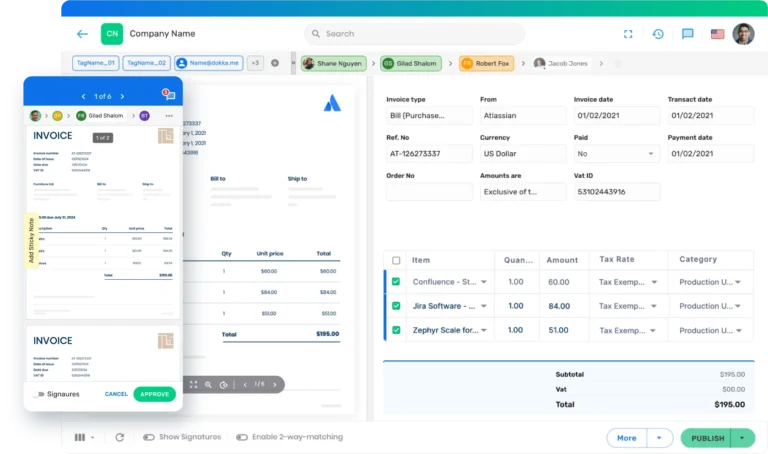
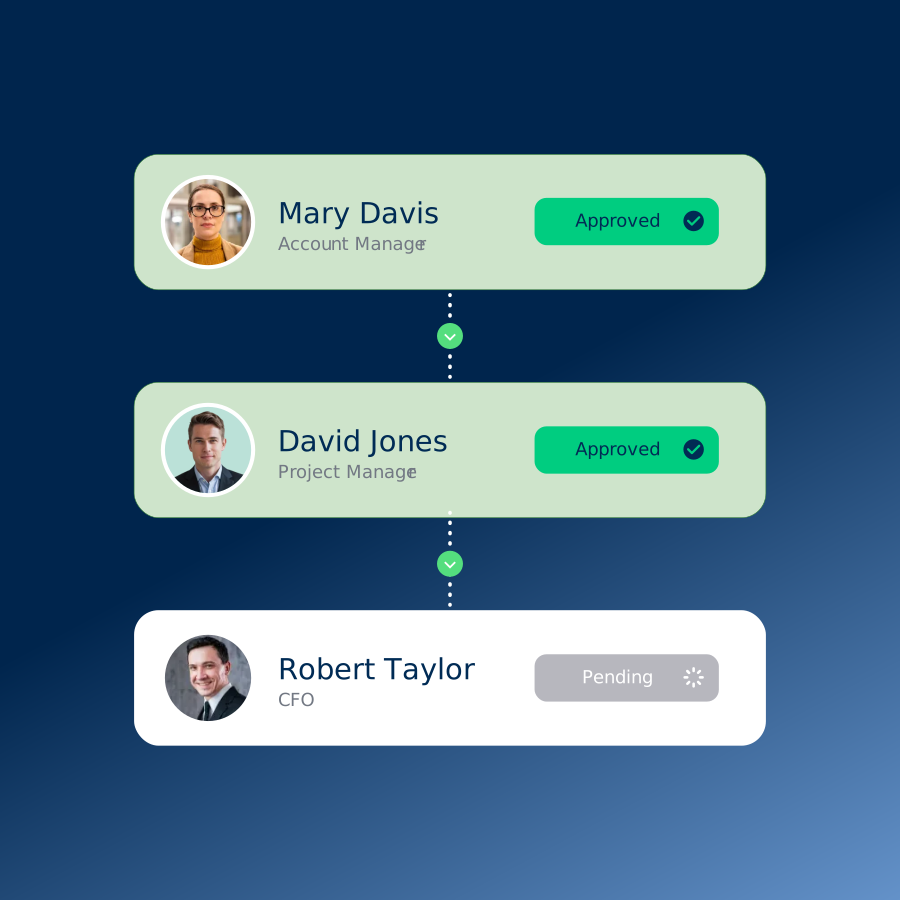
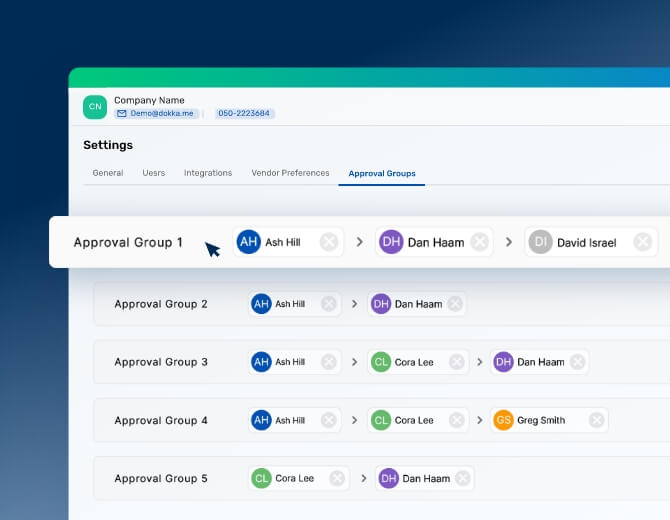
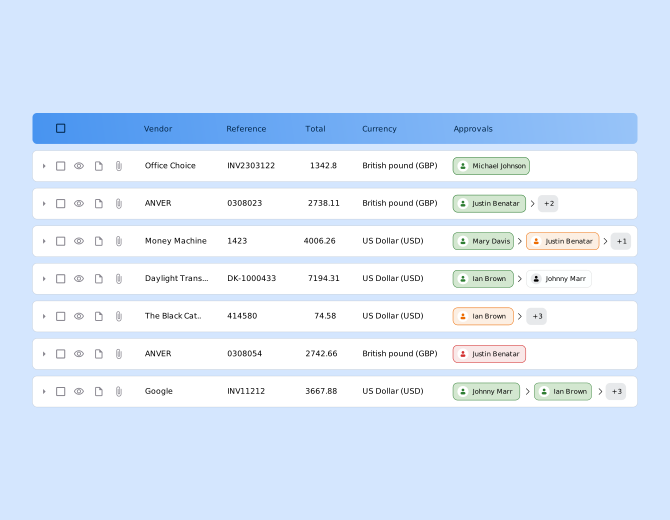
Create custom approval groups based on invoice amount, vendor type, cost centre, department, entity, or any combination of parameters. DOKKA routes invoices through single or multi-level chains automatically — no manual forwarding required. Workflows are configured by finance teams in minutes, with no IT involvement.

multi level approval workflows
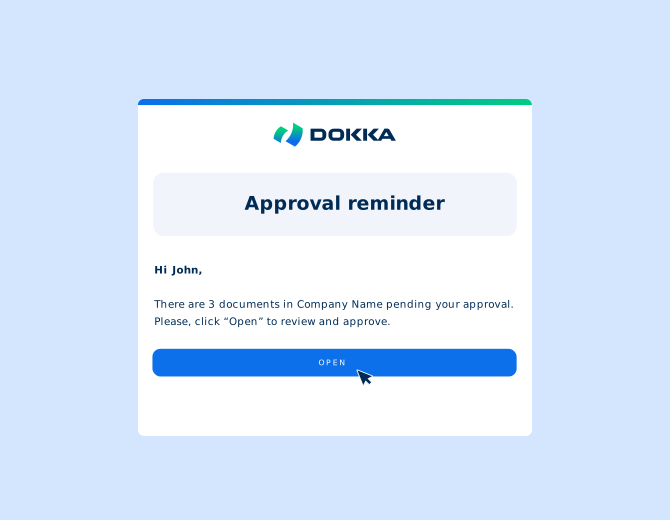
approval reminder emails

Automated Reminder
Emails

Never chase an approver again. DOKKA sends automated reminder emails at configurable intervals — keeping approvals moving without manual follow-up. 

AI Invoice Capture

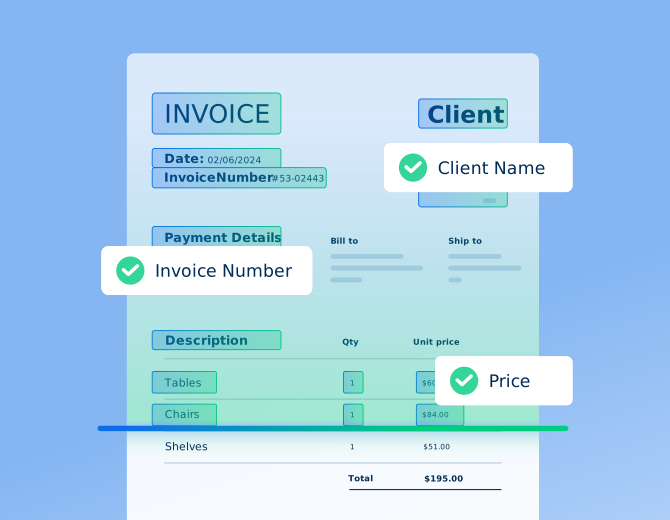
Before an invoice can be approved, it needs to be accurately read. DOKKA uses contextual AI — not just OCR — to extract vendor names, amounts, dates, line items, GL codes, and cost centres from any invoice format: PDF, email attachment, scanned paper, or digital file. The AI learns from your vendor patterns and improves over time.

AI-powered invoice capture for netsuite

Mobile and Email Approvals

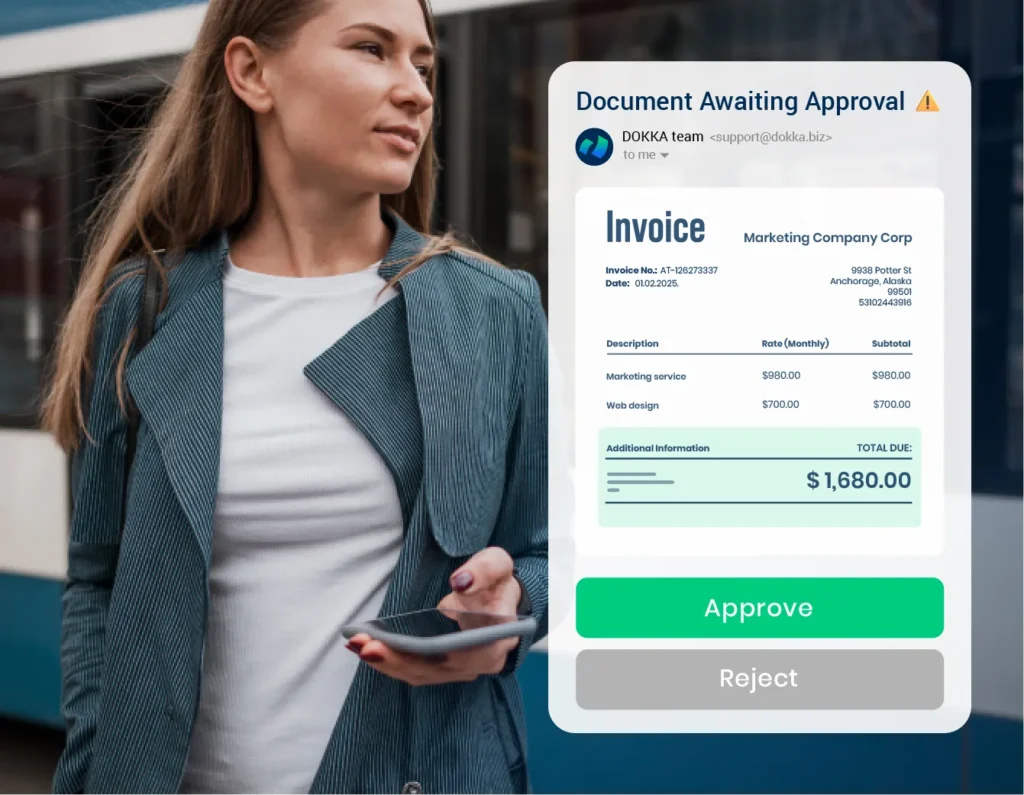
Approvers receive role-specific email notifications that allow them to review and approve — or reject — directly from their inbox or any mobile device. There is no requirement to log into a portal. Approvals happen faster because they fit into how people already work.

Two-Way and Three-Way PO Matching

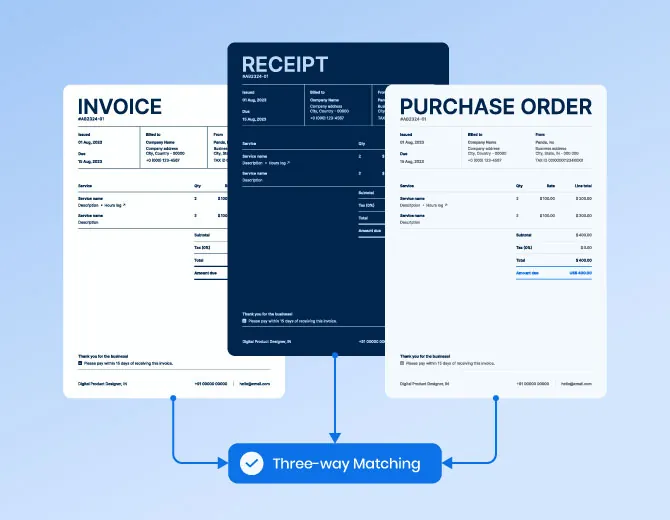
DOKKA automatically matches invoices against purchase orders and goods receipts before routing for approval. Discrepancies are flagged immediately — preventing overbilling, duplicate payments, and coding errors from reaching your approvers or your ERP.

approval dashboard

Real-Time Approval Dashboard

See the status of every invoice in your workflow from a single dashboard — who needs to act, what has been approved, and where bottlenecks are forming

Seamless ERP Integration

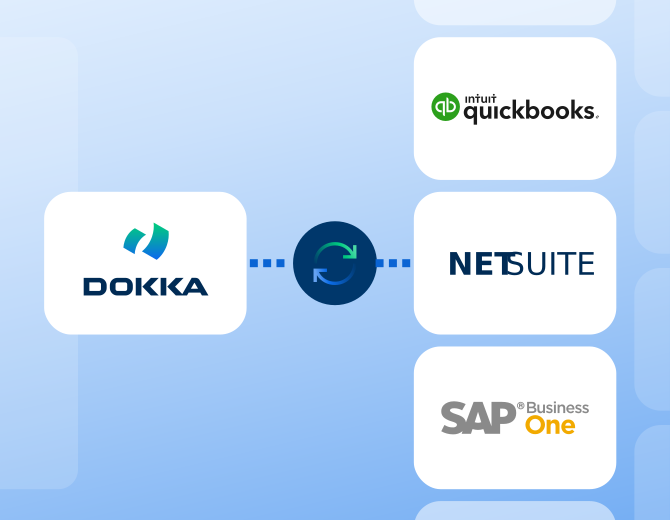
Once approved in DOKKA, invoices sync directly to your ERP — journal entry, vendor record, and audit trail included. No manual exports, no re-entry. See the full list of supported ERPs on the DOKKA integrations page.

Multiple DOKKA in platform Screenshots

Multi-Entity Support

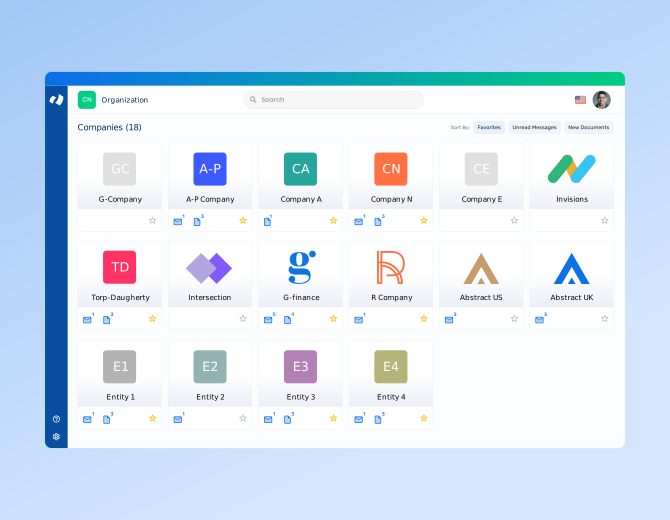
Manage invoice approvals across multiple subsidiaries, entities, or clients from a single workspace. DOKKA supports different approval workflows and GL structures per entity, with consolidated group-level visibility for controllers and CFOs.

How DOKKA's Invoice Approval Software Works

DOKKA handles the complete invoice lifecycle — from arrival to ERP posting — in five steps:

Capture

Invoices arrive via email, scan, or drag-and-drop. DOKKA’s AI immediately reads and extracts all key data: vendor, amount, date, line items, GL codes, and cost centres.

Route

The invoice is automatically sent to the correct approver or group based on your configured rules — by amount, vendor, department, entity, or other parameters.

Sync

Once approved, invoice data posts directly to your ERP with the full audit trail attached. The invoice is marked ready for payment — and your month-end data is clean from the start.

Code

DOKKA automatically suggests GL codes, cost centres, and vendor mappings based on historical context. Finance teams confirm in seconds — no manual lookups.

Approve

Approvers are notified by email or in-platform. They can approve, reject, or comment from any device. Automated reminders keep the workflow moving.

Benefits of DOKKA's Invoice Approval Software

Faster Approval Cycles

Routing rules, automated reminders, and mobile approvals move invoices through your workflow in hours rather than days. Finance teams that automate approvals typically reduce their approval cycle time by over 80% — eliminating the most common cause of late payments.

Stronger Internal Controls

DOKKA enforces your approval thresholds and authorization limits on every invoice — automatically. No exceptions, no workarounds. This reduces fraud risk and ensures the right people have reviewed every payment.

Complete Audit Readiness

Every approval is logged, timestamped, and attributable to a specific user. When auditors ask for documentation, you export it in one click rather than reconstructing it from email threads.

Improved Vendor Relationships

Faster approvals mean faster payments. When vendors are paid accurately and on time, supplier relationships improve — and your business gains leverage to negotiate early-payment discounts.

Less Manual Work for Finance Teams

Automated capture, routing, reminders, and ERP sync eliminate the most repetitive parts of AP. Teams reclaim hours every week. Mud Bay cuts 40 hours of manual AP work every week using DOKKA.

A Cleaner, Faster Month-End Close

When every invoice is captured, approved, coded, and posted cleanly throughout the month, there is no approval backlog at month-end. Your close starts from a clean, complete data set.


How to Choose Invoice Approval Software: What to Look For

Feature

Description

ERP integration depth

Your approval tool must sync bidirectionally with your ERP in real time. Confirm the integration is native — not middleware-dependent — and supports your specific ERP and version.

Workflow configurability

Can finance configure multi-level approval rules without IT? Look for no-code workflow builders that support routing by amount, vendor, department, entity, and PO status.

Approver experience

Approvers are often managers outside finance. Choose a tool that lets them act via email or mobile without requiring a portal login.

Audit trail and compliance

Every action should be logged with timestamp and user attribution, and exportable on demand for auditors.

Multi-entity support

If you operate across multiple subsidiaries, ensure the platform supports separate approval rules per entity with consolidated group visibility.

Implementation speed

Enterprise tools often take months to deploy. Mid-market finance teams should look for solutions that go live in weeks with finance-led onboarding.

Use Cases by Role

CFOs

Gain control and visibility across approvals and cash outflows.

Controllers

Maintain audit-ready documentation with clean workflows.

AP Managers

Eliminate manual tasks, accelerate approvals, and gain complete control

Invoice Approval FAQ

Frequently Asked Questions

Invoice approval software is a digital tool that automates the routing, review, and approval of supplier invoices before payment. It replaces manual email-based approval chains with structured, rules-driven workflows — ensuring every invoice reaches the right approver on time, with a full audit trail.

Yes. DOKKA supports multi-level approval workflows with as many levels and approvers as your process requires. You can configure approval groups based on invoice amount, vendor, cost centre, department, entity, or any combination. Workflows are set up by finance teams in a few clicks — no IT required.

DOKKA provides native integrations with NetSuite, SAP Business One, QuickBooks, Sage, Acumatica, Priority, and more. Once an invoice is approved in DOKKA, it posts directly to your ERP — including journal entry, vendor record, and audit trail — with no manual re-entry or file export required.

Yes. DOKKA is ISO 27001 certified and has completed an independent SOC 2 examination. Every approval action is logged with a timestamp and user attribution. The full approval history for any invoice is exportable with a single click.

Most teams go live within 1-2 weeks. Integration setup takes approximately 15 minutes, and the full onboarding process — including pre-training, a training session, and follow-up — runs under 4 hours total. No IT-led implementation project is required.

Yes. Approvers can review and approve invoices directly from email notifications or from any mobile device — no portal login required.

DOKKA sends automated reminder emails at configurable intervals. You can also configure escalation rules or approval delegation so invoices are never held up by a single unavailable approver.

Start Automating Your Invoice Approvals Today

Join 3,500+ finance teams using DOKKA to eliminate approval bottlenecks, enforce internal controls, and close the books faster — without changing the way your business works.