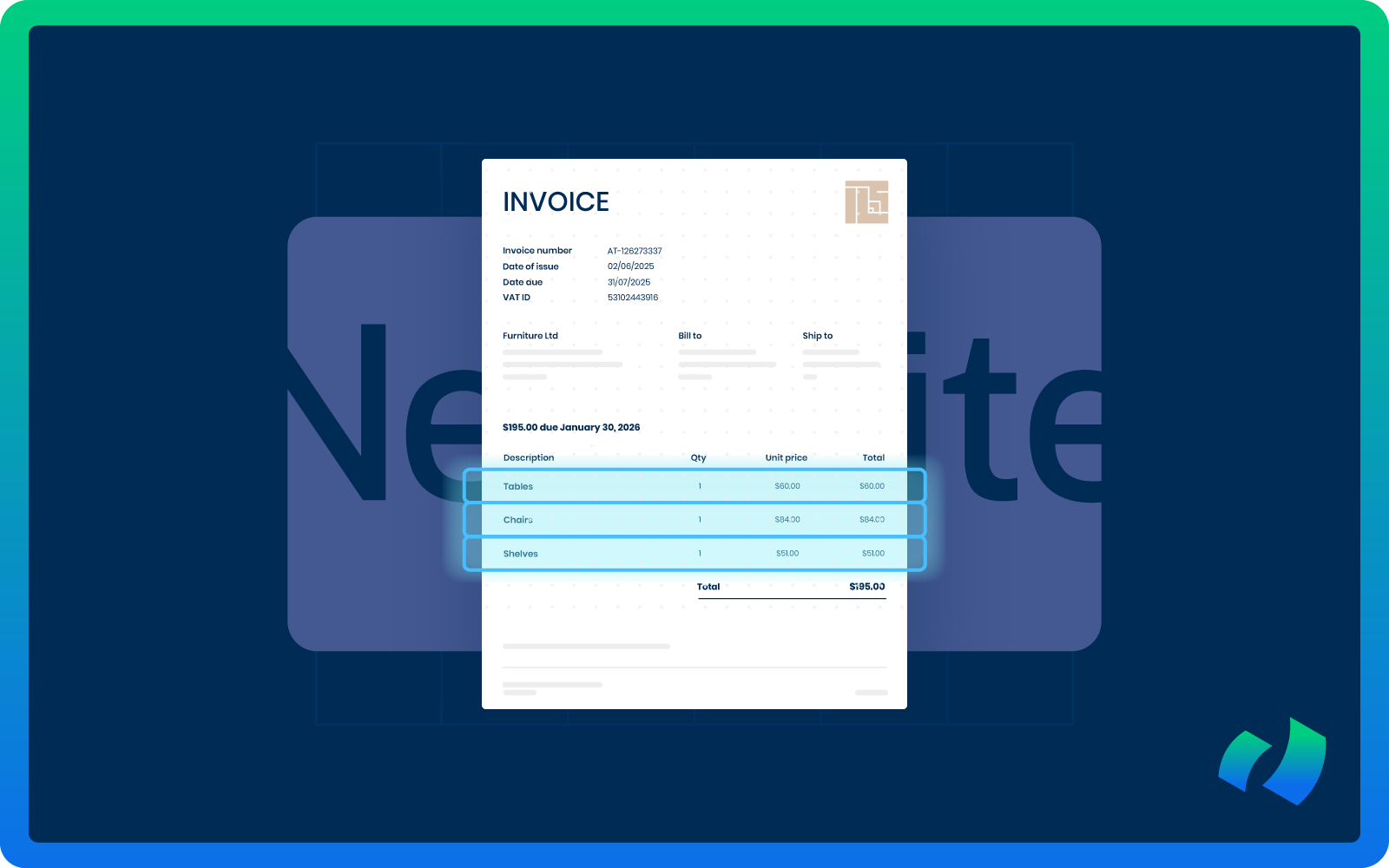
If you’re using Oracle NetSuite and trying to automate accounts payable, you’ve probably hit the same wall many finance teams face:
You want line-level invoice capture, but you don’t want to manually map every supplier. And you definitely don’t want to maintain mappings every time a vendor changes their invoice format.
These are some of the most common and specific questions raised by finance leaders, controllers, and NetSuite administrators:
How can invoice lines be captured automatically?
Is it possible to avoid building a custom template for each supplier?
How can mapping be prevented from turning into a maintenance nightmare?
Is there a way to make NetSuite accept structured line data without complex scripting?
Read on, because in this guide you’ll find detailed answers to those questions and a clear walkthrough on how to set up scalable, line-level invoice capture without manually mapping every supplier.
But let’s start with some basics.
Importance of Line-Level Invoice Capture
Before we get into the “how,” let’s clarify the “why.”
Header-level capture, such as vendor name, invoice number, total amount, and date, is relatively simple. But the real AP automation happens at the line level.
You need line-level data for:
- Accurate expense coding
- Department allocation
- Multi-location reporting
- Inventory or item-based matching
- 2-way or 3-way PO matching
- Audit traceability
- Spend analytics
Without structured line-level data, your AP team ends up manually retyping invoice lines, copying descriptions from PDFs, correcting OCR mistakes, or rebuilding coding logic inside NetSuite. That completely defeats the purpose of automation.
The Core Problem: Traditional Mapping Doesn’t Scale
Most legacy invoice automation tools rely on template-based OCR mapping.
Here’s how that usually works:
- You upload an invoice from Supplier A.
- The system cannot identify the line table structure.
- You manually map the fields: description in column 1, quantity in column 2, unit price in column 3, and the amount in column 4.
- The template is saved for Supplier A.
Now multiply that by 200 vendors. Some vendors change layouts. Others use multiple invoice formats. Some invoices contain merged cells, wrapped text, or scanned PDFs.
Suddenly, “automation” turns into ongoing template maintenance.
That is why finance teams keep asking:
Is there a way to capture line-level invoice data in NetSuite without manually mapping every supplier?
The short answer is yes. But it requires a different approach.
The Solution: AI-Based Line Recognition
The breakthrough in scalable invoice automation comes from moving beyond rule-based OCR and static document templates. True line-level capture without supplier-by-supplier setup becomes possible only when the system can interpret invoices intelligently.
Your invoice capture solution must:
- Recognize invoice structures dynamically
- Identify tables without fixed templates
- Understand context, not just coordinates on a PDF
- Extract structured line data regardless of layout
Modern AI-based software, including solutions like DOKKA, relies on advanced document intelligence models that interpret invoices much like a finance professional would.
Instead of depending on fixed template coordinates or predefined column positions, the software analyzes the full structure of the document. It detects relationships between values, understands how line descriptions connect to quantities and rates, and identifies tax logic and totals based on semantic meaning rather than pixel placement.
These capabilities allow the system to:
- Interpret variable column orders
- Detect merged or split cells
- Handle inconsistent spacing
- Distinguish between line items, subtotals, and summary sections
- Process invoices it has never seen before
The result?
A structured, line-level data extraction that works across suppliers without requiring manual configuration. That is the fundamental shift: moving from static layout mapping to intelligent document understanding.
How DOKKA Streamlines Line-Level Invoice Capture in NetSuite
DOKKA was built specifically to address the pain points of AP teams working with ERP systems. By combining AI-driven line recognition with seamless NetSuite integration, it removes the need for manual supplier mapping while maintaining full accuracy at the line level.
DOKKA approaches invoice automation differently:
1) Automatic Supplier-Agnostic Capture
Invoice processing often slows down because teams spend hours setting up layouts for each vendor. Unlike traditional template-based tools, DOKKA doesn’t require preconfigured layouts. Its AI engine can:
- Detect invoice tables automatically
- Recognize column headers on the fly
- Understand which line amounts correspond to which items or services
- Handle multi-page invoices and merged cells
Finance teams can start processing invoices from new suppliers immediately, without any setup. That means AP teams spend less time on template maintenance and more time on meaningful work.
2) Direct NetSuite Integration
Smooth data flow is key to efficient AP processes. DOKKA has a native two-way sync connection with NetSuite, so line-level invoice data moves straight into the system.
The result is:
- Vendor bills created automatically with full line-level sublists
- Departments, classes, locations, and custom segments mapped in advance
- Real-time error and exception alerts for quick review
- Invoice line integrity maintained, even for multi-currency or complex transactions
Direct integration removes extra steps and reduces the chance of errors. AP teams can move from data entry to managing exceptions without missing a beat.
3) Smart Validation and Exception Handling
Even the best systems occasionally run into unclear invoice data, which can slow things down. DOKKA addresses this with:
- Confidence scores for each line item
- Automatic checks against purchase orders
- Flags for anomalies so only exceptions need attention
- Support for multi-currency, tax, and compliance requirements
Benefits? AP teams spend less time correcting errors while staying in control. Finance leaders can trust that line-level data is accurate and ready to post.
4) Scalability Across Suppliers and Invoice Types
Adding new vendors or dealing with changing invoice layouts can be a headache. DOKKA learns and adapts automatically, so:
- New suppliers don’t need templates
- Layout changes don’t break automation
- Invoice volumes can grow without extra administrative work
For growing organizations, AP automation becomes scalable and reliable. DOKKA handles complexity without extra IT resources or constant manual updates.
5) Improved AP Efficiency and Visibility
Line-level capture is only valuable if it actually improves workflow and visibility.
With DOKKA, AP teams see:
- Shorter invoice cycle times
- Less manual coding and data entry
- Clear audit trails for every invoice line
- Faster resolution of exceptions
- Better insight into spend for finance leaders
Accounts payable teams can shift from reactive data entry to strategic finance operations. Over time, this leads to tangible improvements in productivity, accuracy, and financial visibility.
FAQ
What If Two Suppliers Have Completely Different Layouts?
With AI-based table recognition, layout differences do not matter.
The system detects:
- Where the table begins and ends
- What each column represents
- How multi-line descriptions should be grouped
- Whether VAT is embedded or separate
There is no need to create supplier templates.
What About Scanned Invoices?
Older OCR tools struggle with:
- Low-quality scans
- Skewed documents
- Stamps and handwritten notes
Modern AI models use image enhancement and contextual learning to extract structured lines even from scanned PDFs. Accuracy improves over time without manual mapping.
What If Suppliers Change Their Invoice Design?
Template-based systems break when layouts change. AI-based solutions rely on pattern recognition and contextual labeling rather than fixed coordinates.
When a vendor changes font, logo, column order, or table spacing, the AI adapts automatically.
How Do We Handle Multi-Page Invoices?
Multi-page invoices often create issues such as repeated table headers, line continuation onto the next page, or totals appearing only at the end.
A robust solution must:
- Recognize repeated headers
- Merge table fragments
- Maintain row integrity across pages
- Distinguish subtotals from final totals
Static mapping cannot solve these challenges.
How Accurate Is Line-Level AI Extraction?
Accuracy depends on document clarity, invoice complexity, and the size of the training dataset. Leading AI solutions, however, achieve very high accuracy without any supplier configuration.
More importantly, structured validation rules, exception highlighting, and confidence scoring per line allow your AP team to review only flagged items rather than every invoice.
Real-World Impact of Using DOKKA With NetSuite
Finance teams that implement DOKKA alongside NetSuite typically experience:
- Faster invoice processing: Automation of line-level capture reduces cycle times from days to hours.
- Zero supplier setup overhead: New vendors are processed instantly without manual mapping.
- Higher data accuracy: Context-aware AI reduces coding errors and mismatches.
- Scalable operations: AP teams can handle increasing invoice volumes without growing headcount.
- Enhanced reporting and analytics: Structured line-level data enables finance leaders to make smarter decisions on spend and budgeting.
NetSuite provides a robust ERP framework but does not natively include intelligent line-level invoice extraction. Traditional OCR or template-based solutions require manual effort and ongoing maintenance. DOKKA closes this gap by offering:
- AI-powered line recognition for accurate, layout-agnostic extraction
- Seamless NetSuite integration for direct posting of structured bills
- Automated validation and exception handling that reduces AP workload
- Scalability across suppliers and invoice types for growing organizations
DOKKA transforms AP operations from reactive and manual to proactive and automated, without adding complexity to NetSuite. To learn more about how it can improve your processes, book a free demo call with our team.